
Every haul.
Every dollar.
Every doc.
Haul Ledger tracks every job and every payout for portable-building and small hauling operators, catches the paperwork that's holding up your pay, and gets your closeout emails ready, so nothing slips through the cracks.
You always press Send. Haul Ledger prepares, you review.
Run the office side of hauling
without the paper chase
Built around a real problem: the haul is done, the paperwork isn't, and the money sits. Haul Ledger watches the whole chain.
Job board
Every job moves across Assigned, Delivered, Paperwork Sent and Paid, so you see where every dollar stands.
Money strip
Paid this month, in normal payout lag, overdue and on hold, at a glance the second you open it.
Payout cross-check
Compares payouts against your closed jobs and the rates you set, and flags what's missing, short or paid twice.
Office-notice catcher
When the office puts a job on hold, Haul Ledger reads the notice and tells you exactly what's needed and who it's needed from.
Closeout drafts
Drop in a signed delivery slip and get the closeout email ready for the right pay group. Review it, then send it yourself.
Receipts & forms
Customizable receipts and forms, or upload your own. Your logo goes on everything.
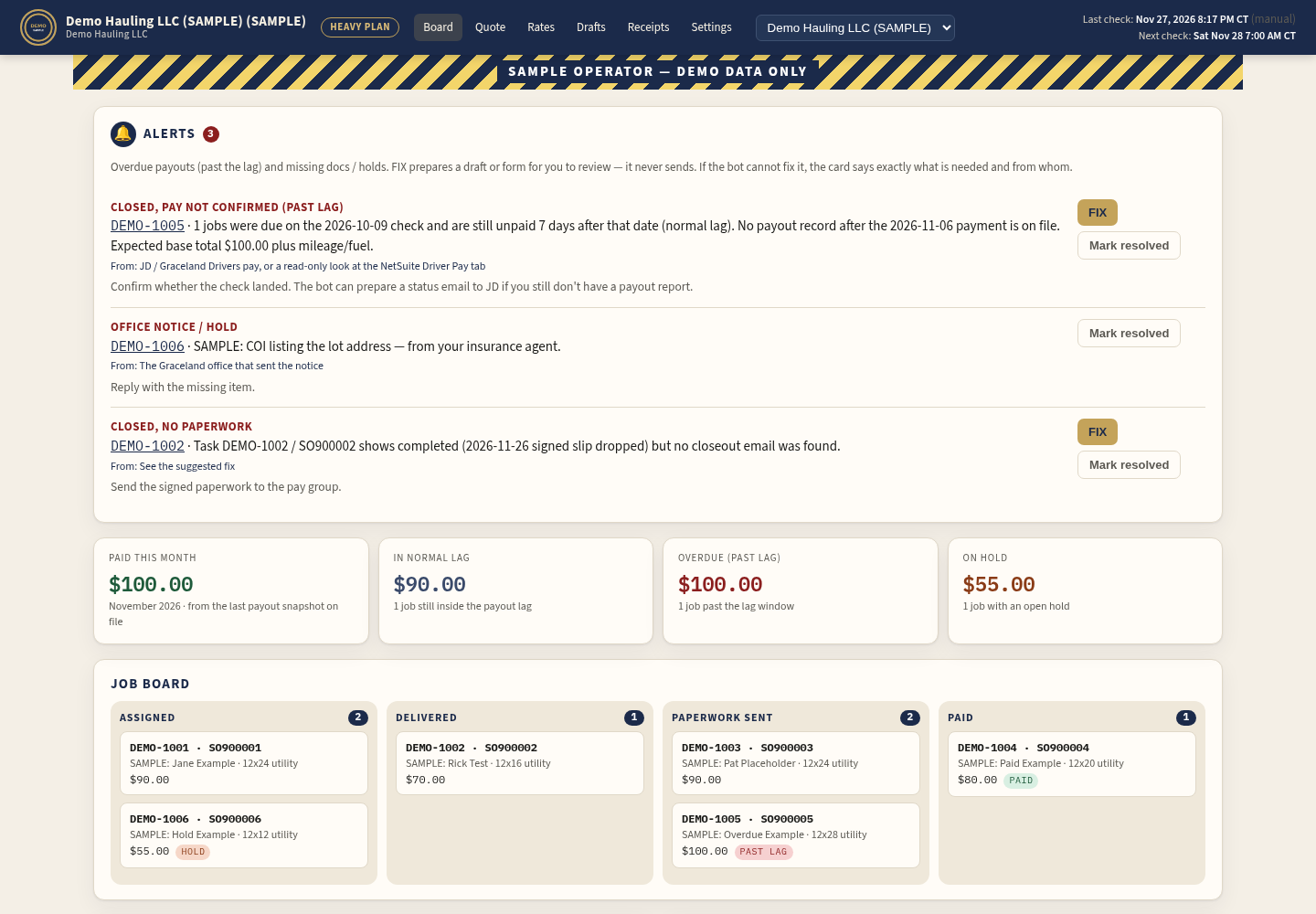
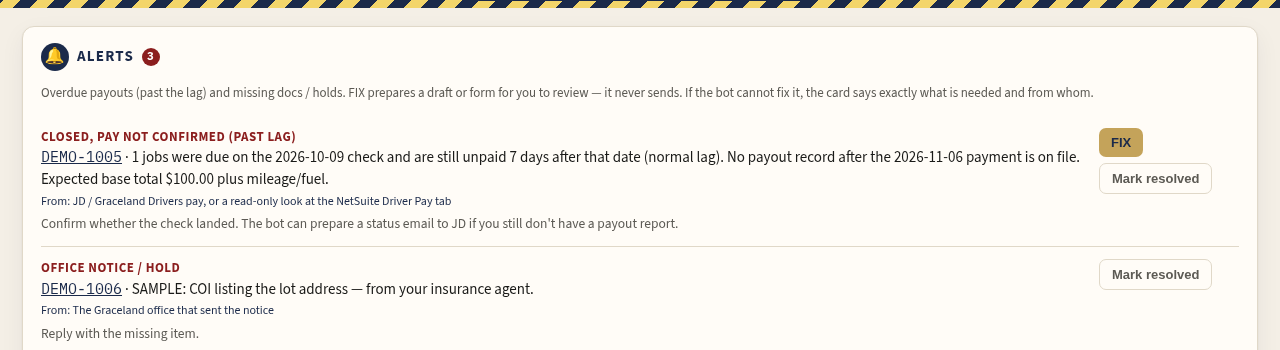
Overdue pay and missing docs, front and center
The Alerts section sits at the top of the dashboard. Each item is either something Haul Ledger can fix or something it explains clearly.
- Fix button when it can help: it prepares the email, receipt or form for your review. You always press Send.
- Plain-English "what's needed" when it can't, like "Need a COI listing the lot address, from your insurance agent."
- Normal payout lag is respected, so a job that's simply inside your usual payout window isn't a false alarm.
From pickup to paid
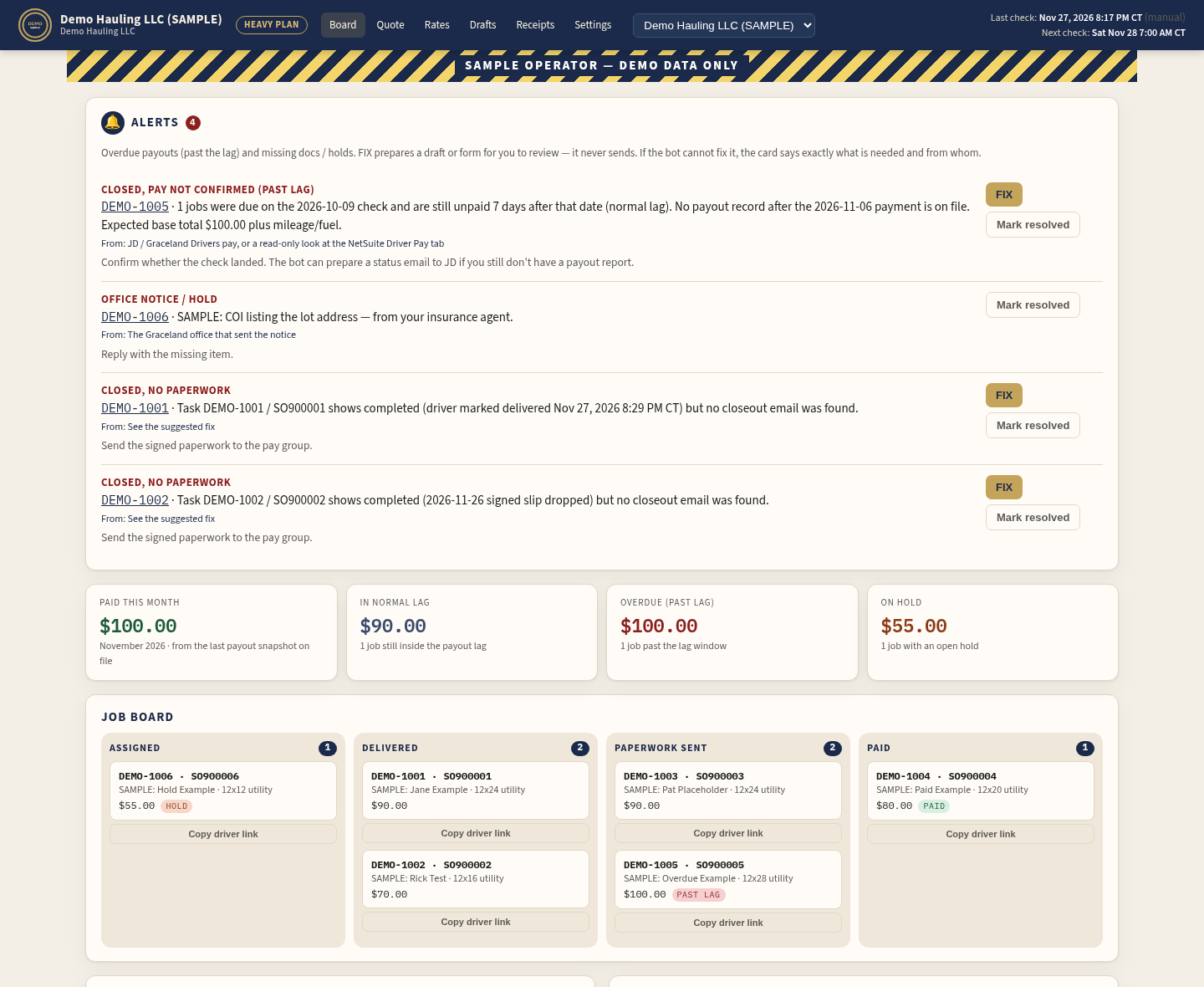
The board updates itself
When a driver marks a delivery done and uploads the signed slip, the job moves across the board and the closeout is ready for you. Sample data shown.
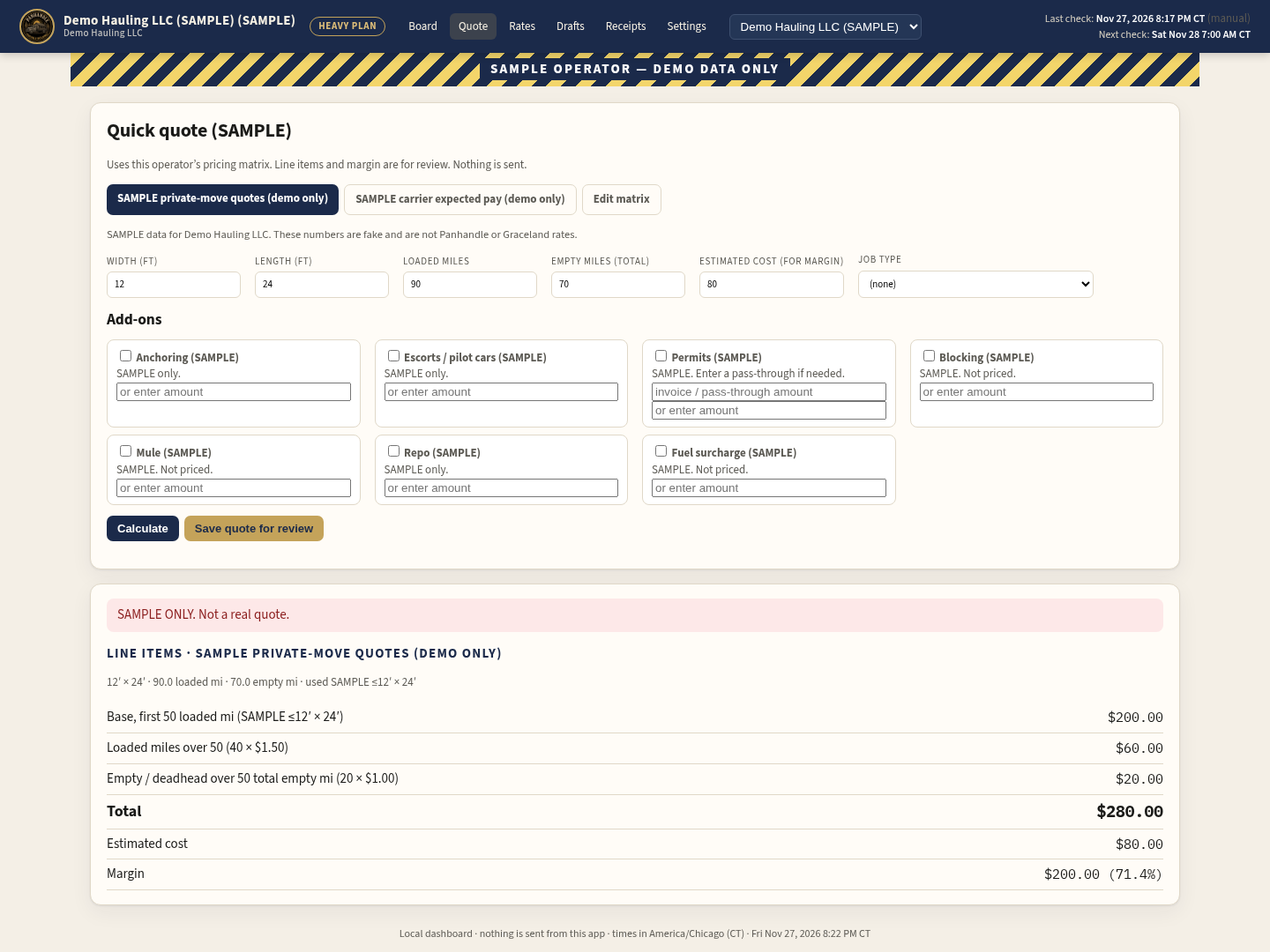
Quote it right, see your margin
Set your own rates by building size, miles and add-ons like escorts, anchoring and permits, plus a minimum charge.
- Quick quote shows every line item, the total and your margin.
- Quotes, receipts and expected-pay checks all pull from the same matrix.
- Import and export your rates as a spreadsheet (CSV).
No app. Just a text link.
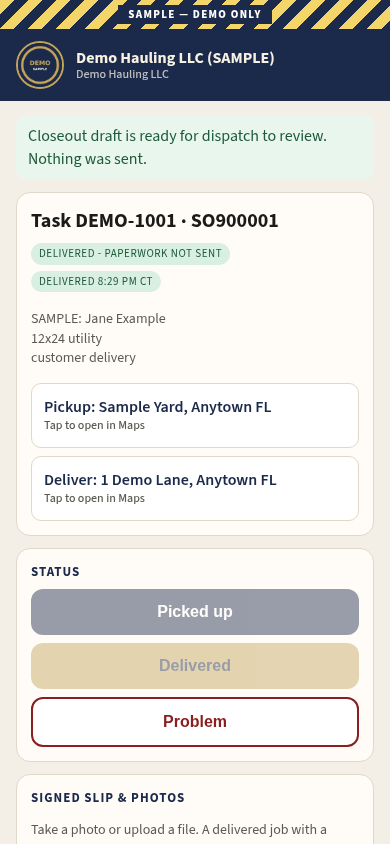
Each job gets its own link. It opens in the driver's phone browser, with nothing to install and nobody to onboard.
- Mark picked up, delivered or problem.
- Snap the signed slip and photos and upload them.
- Share GPS location.
- The dashboard updates and the closeout draft is prepared for you.
- Revoke a job's link any time, for example if a driver changes.
Works for any hauler's drivers, whoever you haul for.
Start light. Go heavy when you're ready.
Log it. Close it out.
- Log jobs on the job board
- Closeout drafts from signed slips
- Receipts, forms and your logo
- Pricing matrix and quick quote
- Driver phone page
- Checks run when you run them
Everything, on autopilot.
- Everything in Lite, plus:
- Full scheduled checks: you choose how many run each day
- Payout irregularity detection
- A website included. The domain is billed at cost, since domain prices vary.
- Google Business Profile setup, so your shop shows up on Maps and in local search
Built by a working hauler
Haul Ledger came out of a real hauling operation in Sneads, FL. Panhandle Shed Haulers runs on it.
Quick answers
Does Haul Ledger send emails for me?
No. It prepares closeout emails, receipts and forms for you to review. You press Send.
Do my drivers need to install anything?
No. They tap a text link and it opens in the phone's browser.
Is it only for one dealer or one type of building?
No. It's built for portable-building and small hauling operators of any kind. You set your own rates, forms and logo.
What if I only want the basics?
Lite covers logging jobs and closeout drafts, with checks run manually. You can move up to Heavy later.
How do I get started?
Request a demo and we'll walk you through it on your kind of work.
See your loads and your pay
in one place
Tell us what you haul and we'll show you Haul Ledger on it.
Request a demoOr call or text (321) 443-3161.